The Basics:
The face of the drive is made of hard plastic, with a shiny red finish. At the top of the drive are two LEDs; one is for power and hard disk activity, and the other is to indicate the encryption status. The back of the drive is black with a red rubber 'gasket'. The gasket provides a way to reduce vibration when the drive is placed on a hard surface.
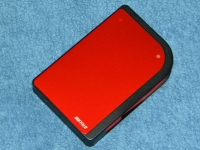
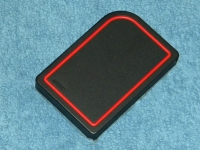
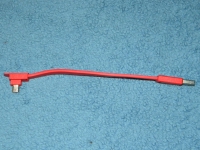
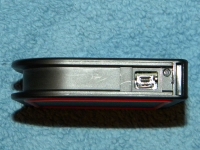
One side of the drive has the attached USB cable. The cable is fairly short (six inches), which is why Buffalo includes a matching extension cable. The cable could have been about double the length had they wrapped the cable from the bottom of the drive instead of the top. This cable is designed to fit into a groove along the body of the case so you never have to remove it and it will always be with you.
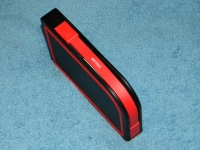
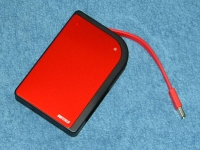
The drive cable is a very flexible, flat, rubber cable. It can be bent and twisted as needed to fit any situation. If you would rather use a different cable though, it can be removed completely and any other standard USB mini-B cable can be used. However, it is probably best to leave the included cable attached and use the USB extension cable as needed.
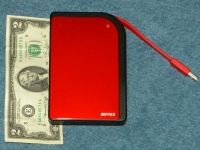
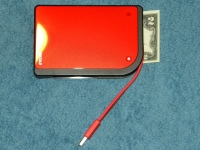
The specifications list the size of drive as 5.3in x 3.6in. In order to provide a good perspective on the size of the drive, it was placed next to a $2.00 bill. As the picture shows, it is slightly longer and wider than a US bill.
Opening the
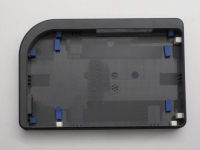
Buffalo Technology MiniStation Metro will void your warranty, but I decided to do it anyway to get a better view of the BumperBody Shock Protection system. Once the chassis was opened, I was able to remove the drive, which sits in a tray. In the chassis, I found several small pieces of rubber intended to provide some shock protection to the chassis.
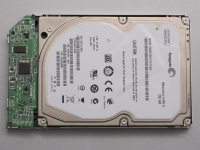
The hard drive used is a Seagate Momentus 5400.6 hard drive. This is a 250GB hard drive, model ST9250315AS, with a SATA interface.



