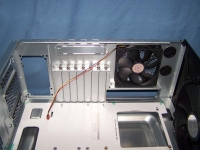
Internal Inspection:
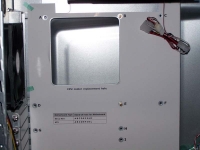
Removing the side panel reveals a fairly standard interior. One of the things that has always bothered me is that no matter how nice the exterior looks, the interior is usually left as bare metal. I wish they would complete the interior finish so that it matches the exterior. The first thing that really caught my attention was the motherboard tray. What drew my attention was the piece of paper that had holes marked in it in order to help the user place the motherboard standoffs! While most of us probably do not need this assistance, it is a great feature for the novice user. In addition, there was also a large hole in the tray that peaked my interest. For most this hole will be pointless. However, for those that regularly change their CPU heat sink, this hole is perfect! It should allow you access to the back of the CPU heat sink mounting bracket while the motherboard is still bolted to the tray.
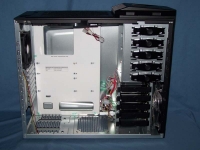
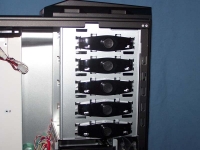
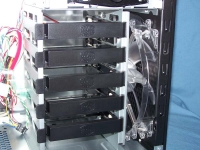
The 5.25" drive bays are tool-less, and have an unfamiliar solution. This solution is a push button bracket which pushes metal braces into the holes on the 5.25" device. This is the first time I have seen this solution, usually I see clips, slides, or knobs. If you really want your device to be secured you can add some screws on the other side. The internal 3.5" drive cage comes with five tool-less hard drive trays. Cooling the 3.5" bays is a large 200mm intake fan. I was unable to remove the fan due to its size; if it fails I can not say how to get it replaced.
The back panel is almost like every other case. The seven expansion slots are tool-less, and they use thumb screws. I prefer this method as other tool-less implementations occasionally have issues with the larger video cards. Right above the typical expansion slots is yet another expansion slot. While I do not have anything that could be installed in this slot, it would be a good place to put an expansion slot fan or perhaps an e-SATA port. At the top of the case (to the right of the exhaust fan) are two holes for those that utilize an external mounted liquid cooling setup.