Set Up and Testing:
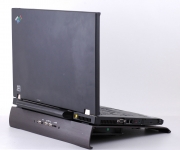
As you can see, an IBM Think Pad fits perfectly and I must say it looks good doing so, as well.
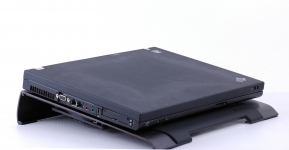
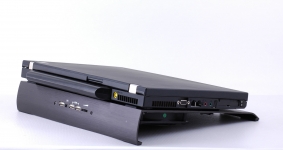
The very fist thing you will notice about the Cryo S is the extremely solid build established via the thick aluminum. With that said, I decided to use my Dell Precision M65 for testing and found that set up could not have been easier. Instead of using the USB adapter to power the Cryo S, I used the AC power adapter. A key note for using the AC power adapter is that the Cryo S does not have a power switch so you will need to unplug the power adapter to shut down the fans when finished. Now all that was left to finish the installation was to connect a laptop USB port to the designated Cryo S USB port and I was ready to see how it performed.
A laptop computer with the following specifications was used to test the NZXT Cryo S:
» Dell Precision M65
» Intel Core 2 T7200 processor
» 2GB memory
» Vista 64-Bit operating system
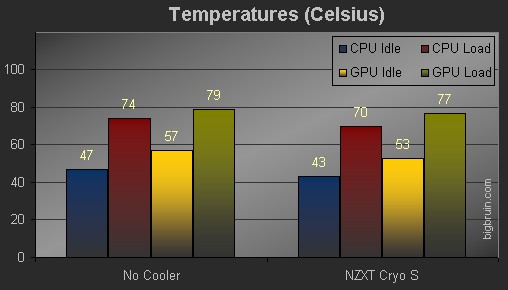
Time to compare the temperatures given when using the NZXT Cryo S to when simply setting the laptop on my wooden desk. Idle temperatures were captured while the system was not running any extra applications. To create a load condition, Futuremark's PCMark05 test suite was used to get all of the components warmed up.
The chart below details the thermal results of the CPU and GPU while idle and under a load, while the fan was run at full speed. We can see at idle that the Cryo S helped cool the CPU from 47 degrees Celsius to 43 degrees. When under a load we still maintain that 4 degree difference from 74 to 70, not bad at all. The Cryo S also helps keep the GPU side of things cool as we continue to see that 4 degree difference at idle and a 2 degree shift when under a load.
And if that was not good enough, the temperatures were lowered with very little fan noise as the two 120mm fans are impressively quiet. You can adjust the speed of the fans from 700 â€" 1300 RPM, but they are so quiet I could not justify slowing them down.



