Accessories:
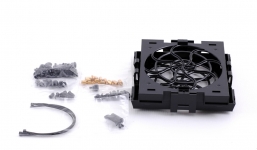
Packed with the Element G you will find everything you will need. Mounting hardware, fan brackets and a user’s manual.
 Installation and Operation:
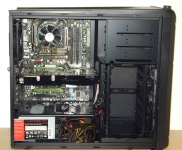
Now that we have taken a look at the Element G bare, it is time to put a bit of hardware in to see how much room we really have. In the image below we can see the Element G equipped with a 790i motherboard along with an 8800GTX video card. Under that we have an Antec PSU tucked snugly under the PSU plate. After I got the hardware installed it was time to start routing my cables. Keep in mind with a bottom mounted PSU your 8-pin CPU power cable to the motherboard may not reach, especially when attempting to hide the power cable to make it look good. Should your PSU cable not be long enough you can grab yourself an extender at just about any computer shop or online, of course.
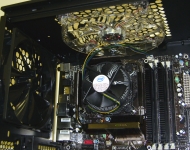
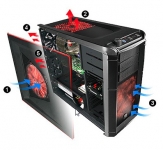
In the next set of images we can see the extreme cooling offered by the Element G as the CPU cooler sits right between the rear and top case fans. What a perfect scenario to help cooling as the top and back case fans are exhaust fans. All that hot air pulled off your CPU is quickly dispersed outside the case with the help of the Element G’s cooling system. A better example of the cooling abilities of the Element G can be seen in the below right image provided by Thermaltake. As you can see, Thermaltake has ensured not only is an ample amount of air being brought into the case, but the unwanted heated air is removed.
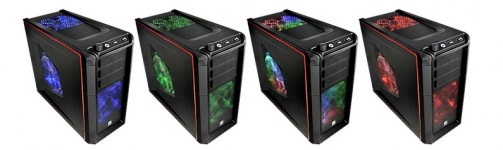
Cooling is a major focus with the Element G, not just with effectiveness but also style. The control knob on the front of the case will allow you to control the speed as well as the different LED color setting for the fans. If you are tired of one color scheme you can simply change it to another. The fan speeds max out at about 800 rpm (1000 rpm for the slightly smaller rear fan) meaning they create very little noise. The image below shows examples of the Element G's color settings provided by Thermaltake, as I found their pictures to do a bit more justice than mine.