The Basics:
The images below show the
Kingston HyperX PC2-6400 SODIMM memory kit. While the Kingston site shows a drawing of their HyperX SODIMMs with a heatspreader installed, that isn't the case, and only applies to their DDR3 SODIMMs. What we have are dual sided modules featuring eight chips on either side.
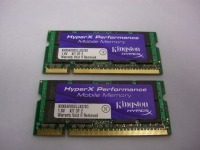
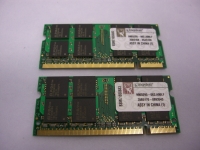
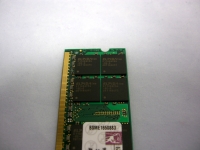
The image below takes a closer look at the chips on one module, where we can see that they are Elpida brand chips marked with the following: ELPIDA TWN, E1108ACBG, -8E-E, 0811A90FC. A PDF data sheet is available at
this link.
 Configuration:
A system with the following components was used to test the
Kingston HyperX PC2-6400 SODIMM memory kit:
» Intel P8400 2.26GHz dual core mobile processor
» MSI MS-1651 15.4" widescreen gaming laptop
» GeForce 9600M 512MB graphics card
» Western Digital Scorpio 320GB SATA 3Gbps hard drive
» MSI DVDRW optical drive
» Windows 7 RC1 64-Bit operating system
The MSI MS-1651 is sold as a barebone kit for the "do-it-yourselfer" to build their own gaming laptop. By adding the processor, memory, and drives of your choice you can control the budget and performance characteristics better than selecting from many off the shelf items. This seems like a perfect environment to test some performance grade SODIMMs.
The laptop's BIOS offers more memory control features than a typical unit might offer. You can select the memory speed (667MHz or 800MHz), and manually control each of the four main timing values (or just let the system do it automatically using the SPD data).
With these modules installed, the system initially selected a speed of 667MHz, but a couple of clicks remedied that. With the timings set to automatic, I booted in to Windows and checked CPU-Z to find that the system reported 5-5-5-15 instead of 5-5-5-18. Going back in to the BIOS revealed that 15 was the highest allowed, and despite that the modules were rated for 18, it functioned just fine with the tighter value.
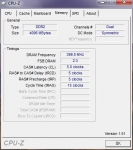
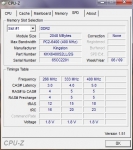
The screenshots above are from
CPU-Z and are provided to confirm the speeds and timings of the 4GB configuration.



