Internal Inspection (continued):
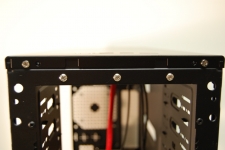
Finally, we see another nice feature of the chassis’ structure. NZXT has decided to use screws to secure the top panel of the Beta. This ties in with the pre-drilled, rubber grommetted hose mounts we saw on the back of the case. The panel is easily removed for top-mounting a radiator or for a top mounted fan. Given the space restraints with the power supply being so close to the top, you’d have to use a 120mm radiator, and even that might be close.
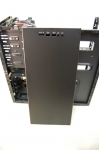
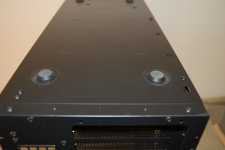
Flipping the case over, we see that the Beta ships with your standard run-of-the-mill rubber feet.
 Installation:
The following components were installed in to the NZXT Beta Classic Series case:
» Intel Core i7 920 (2.66GHz) processor
» MSI x58M uATX motherboard
» MSI Radeon 4870 1GB T2DIG PCIe video card
» Seagate 500GB SATA 3Gbps hard drive
» OCZ Technology Platinum PC12600 1600MHz DDR3 triple channel memory
» CoolerMaster Real Power Pro 750 power supply
» Windows 7 RC 64-bit operating system
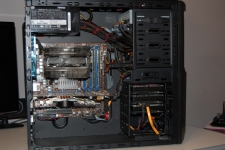
Installation is pretty much straight forward. We were able to use the cutouts on the motherboard tray to run some of the cables underneath for a much cleaner look. The optical drives were fairly straight forward to install â€" insert drive, line up pins in the quick-connect “rails”, line up the key with the appropriate slot on the cage, and twist. The drive is securely locked in place. The hard drives provided a different experience. The rails themselves offer a spot to secure it to the drive with a center-mounted screw â€" this is highly recommended. Without using the “optional” screw, the rails fell off of the drive while trying to slide it in. Upon removal, the rail popped off. Again, we expected a click when inserting the hard drives, but didn’t get that. We actually had to try and pull the drive out to insure it was inserted properly.



