The Basics (continued):
The
BlackBerry Pearl 8100 smartphone has an attractive appearance, and is even smaller than I expected. The 2.25 inch screen has a resolution of 240 x 260 pixels, which is smaller than many other smartphones so it will be interesting to see how everything is presented on screen. Just below the screen are a handful of function buttons, as well as a roller ball, which looks black when not activated. In use, the ball lights up and definitely appears more pearl-like.
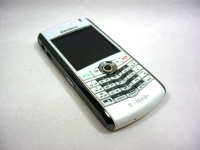
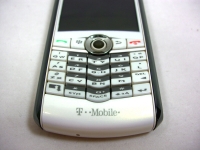
Just below the function keys and the pearl is where a modified QWERTY keyboard can be found. In order to make things more compact, but to still provide a convenient typing interface, a QWERTY layout was used where two letters share one button. This can slow your typing rate down a bit as you get comfortable with it, but it isn't as bad as I thought it would be. The predictive capabilities of the phone are pretty good, and even if it doesn't know what you wanted to type, on screen prompts let you select the right combination quickly.
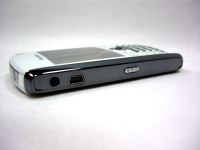
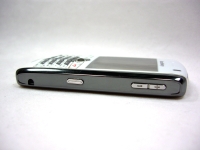
The front and back of the phone are pearlescent white plastic, while the edges are finished in chrome. The left edge features an audio jack, a USB/power port, and a button that is generally used for activating voice dialing. The right edge features a button to activate the camera, as well as a pair of buttons used for volume control. The top edge of the phone has a button that puts the unit into power saving stand-by mode, and the only other physical feature of note would be the camera, which is a 1.3MP unit with flash located on the rear surface.
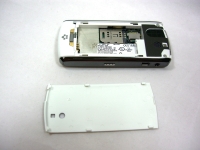
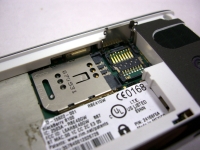
The final images in this section take a look inside the battery compartment. This might be the only area that would signal that this unit wasn't new. Apparently there was a label that was removed and a bit of sticky residue has collected some dirt. You'll never see this in use, but a quick wipe with rubbing alcohol would have cleaned it up perfectly. In addition to housing the battery, this is also where the SIM card and micro-SD memory card goes. It is common for the SIM card to go in the battery compartment, but I would rather see the memory card be accessible without having to go through so many steps. Even if an external slot wasn't possible, at least don't make it so that the battery has to be removed.