The Basics:
The
Sapphire Radeon HD4890 1GB graphics card is shown in the images on this page, and the first thing that you might notice is the cooler. Overall it looks much like the one used on other Vapor-X series cards, but under the hood the components are different. The card's design definitely breaks from the reference Radeon look, and not just as it relates to the cooler. The blue PCB, the interesting MOSFET cooler, and the back panel connections are a few other areas where the Vapor-X card stands out.
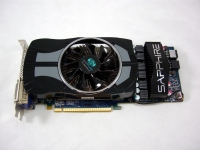
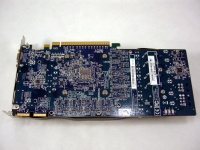
The card will occupy two expansion slots in your system, and you will have to provide two 6-pin power connections to get it running. Along thetop edge of the card you will find a pair of CrossFire tabs that let you configure this card in a quad mode CrossFireX setup!
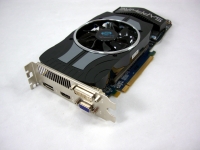
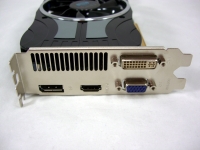
The below left image shows the back panel of the card. There is a vent to allow some of the card's hot air to escape the case, while a variety of video connections occupy the rest of the space. There are connections for DVI, Display Port, HDMI, and VGA. Quite a selection of connections, and while I doubt that I will ever use the Display Port connection, there is the adapter to convert it to a DVI port.
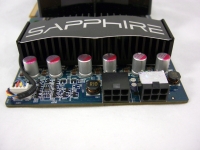
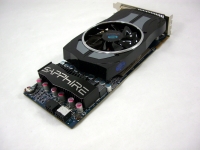
The above right image shows the opposite end of the card. Here you get a better look at the Sapphire printed cap to the MOSFET cooler, which was no doubt installed to guide air from the cooling fan through the fins more effectively. You can also see the neat array of capacitors and the two PCI Express power connectors.
The final image in this section takes a look under the top edge of the cooler. The metal has been extensively machined to optimize surface area, and on the underside it mates not only to the GPU, but also to the memory chips.
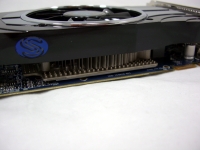
When powered up, the blue "S" shown in the image above lights up thanks to a blue LED. While the lighting effect is subtle, you can't say this card is completely void of bling.



