Packaging:
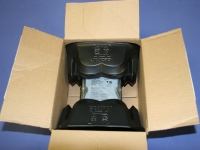
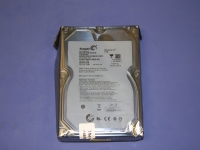
The Seagate Barracuda LP 2TB SATA hard drive came in an OEM style cardboard box, while retail packaged versions should be available at your favorite store. Inside of the box we find the drive with two black plastic inserts to keep it protected during shipping. Removing the drive from the inserts reveals that it is enclosed in an anti-static bag.
 The Basics:
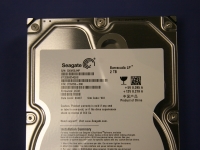
Taking a closer look at the label on the
Seagate Barracuda LP 2TB SATA hard drive we can see the basic items found on most drives: serial number, model number, part number, manufacturing date, and firmware codes. One thing missing on the label is the rotational speed. Visiting the product page on the Seagate website confirms that the speed is 5,900RPM, which is an odd value between the typical 5,400RPM and 7,200RPM figures we generally find. The speed was chosen to provide a good balance between speed and power consumption.
Warranty length is another piece of information that is hard to find in print. There is nothing documented on the drive or the product page, but you can expect to get a 3-year warranty if you buy an OEM drive and a 5-year warranty if you buy a retail boxed drive. However, stores like
Newegg.com only carry the OEM part, and therefore you will only get three years of coverage on parts and labor.
In the image below you can see the connector and jumper area of the drive. From left to right we have the SATA power connector, the SATA data connector, and an array of jumpers which can be used to force the drive to run at SATA I specifications (1.5 GB/s).
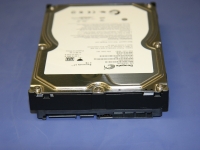
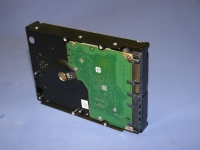
In this last image I turned the drive onto its side to show off the bottom. You can see an exposed circuit board secured to the chassis, but all the components like the cache memory and controllers are hidden and protected from physical damage.