In Use:
The physical setup of the
Seagate FreeAgent Theater+ media player is rather simple, especially if you use the HDMI connection. Just three cables (power, HDMI, network), two if you aren't going to network it. While it isn't much more difficult to use the other audio/video connections, it isn't as convenient. With the original FreeAgent Theater I was using component video, and with a rather heavy gauge bundle of five wires coming from the back of this small box, it just looked awkward.
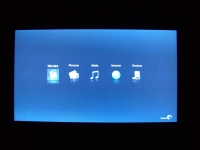
Once configured, the device can be powered up via the remote control and it loads the screen shown below. The simple interface provides five choices centered in a rather dull field of blue. From left to right your choices are Movies, Pictures, Music, Internet, and Devices. Pressing the Menu button on the remote control will drop down a strip of additional icons at the top of the screen... Many of which are redundant, but the System icon may be of interest for configuring the finer points of the device.
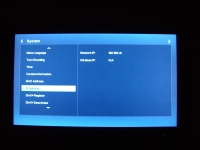
The next screen takes a look at a sample of the System screen, where the subsections are listed on the left hand side. You can scroll down through a variety of device related settings, and this shot happens to be focused on the networking features. The LAN IP address is echoed, and configuration of the wireless networking connection is provided. I connected an AT&T brand B/G USB wireless adapter and attempted to connect, but it provided an error message indicating that it could not find the adapter. A firmware update is most likely in order, and even with that in place I am sure that there will be a specific (perhaps limited) list of USB adapters that will be compatible.
Before I got to enjoying any of the multimedia capabilities of the device, I decided to navigate as much of the interface as possible. While it is rather intuitive and easy to use, the appearance is rather bland and perhaps dated. The interface on the original FreeAgent Theater was a bit more modern and attractive, and this seems to be a step backwards.
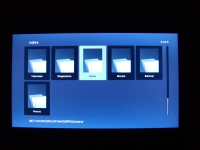
The next image shows a sample from browsing my network for additional multimedia files to play back. The Theater+ acquired an IP address via the DHCP server, and was immediately able to access other computers and network attached storage (NAS) devices on the network. The image below shows the somewhat clunky icon based navigation system as I explore the files on a NAS. It was able to stream audio and photos from the NAS without issue, and even lower quality video files worked just fine (like DVD ISO, DVD folders, and home movies AVIs). High resolution content didn't come through as well, but network bandwidth is most likely the culprit there. One thing to note is that DVD folders over the network did not play the same way as DVD folders stored on a local drive. On the network it is just a file browser, so you have to enter the folder to select the correct file to launch the movie, but with locally played DVD folders the system knows just what to do without entering the folder.
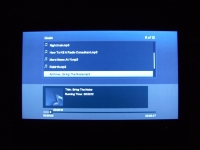
The next screen is from the music player, seen while accessing MP3 files stored on a NAS device. While the playback sounded just fine, the interface is rather crude and is definitely not the best solution for enjoying a large library of audio files.