Home :: Reviews & Articles :: Forum :: Info :: Links :: Sponsors :: Shop :: F@H :: Newsletter :: Facebook
Bigbruin.com Logo
  Ad
Ad
Thermaltake Toughpower XT 750W Power Supply Select the Dark Theme Select the Light Theme
Author: Jim Solski
Manufacturer: Thermaltake
Source: Thermaltake
Purchase: SuperBiiz.com
Comment or Question: Post Here
Page: 2 of 7 [ 1 2 3 4 5 6 7 ]
Thermaltake Toughpower XT 750W Power Supply Icon
Jun 02, 2009

Packaging:

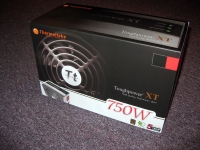
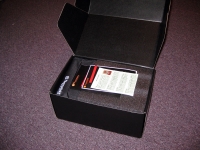
The Thermaltake Toughpower XT 750W power supply comes in a nice looking box as you can see in the below left image. The below right image shows how the power supply comes tightly wrapped in several inches of thick foam for protection. The packaging did a great job to protect the painted finish of the sample on its way to me.
Review Image Review Image


The Basics:

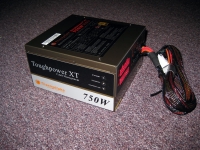
Let’s take a look at the Thermaltake Toughpower XT 750W power supply from all of the angles.

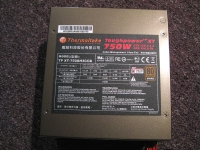
Starting with the profile view you can see this is a modular power supply (the exception being the 24-pin motherboard connector). The top of the unit has a placard with all of the specific certifications, ratings, and other information you would expect from any power supply manufacturer.
Review Image Review Image


As we proceed to the side of the unit that is exposed to your case window you will notice the Toughpower XT name along with the three LEDs described previously in this review under “features.” If your power supply is working properly expect to see three bright green LEDs glowing from the power supply at all times. Even when the computer is off the standby light is constantly glowing. Those of you with case windows may or may not like this feature. If we flip the unit over it exposes the large 14cm fan on the bottom of the power supply. Not much to see here though I can tell you I couldn’t hear this fan over the test system's 8800GT graphics card fan.
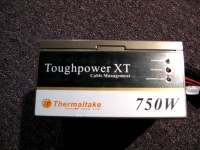
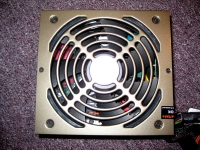
Review Image Review Image


Next lets look at the rear of the unit. Note the extra switch to control the power supply fan once the computer is shutdown. You can set the fan to continue running for 15 or even 30 seconds after the system has been shutdown to exhaust any residual heat.
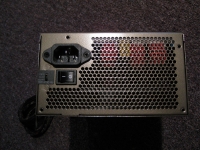
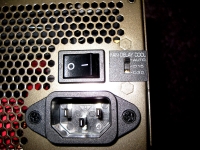
Review Image Review Image


« Back :: 1 :: 2 :: 3 :: 4 :: 5 :: 6 :: 7 :: Next »
Content Categories
Articles Articles
Audio Audio
Cases Cases
Cooling Cooling
Electronics Electronics
Input Devices Input Devices
Memory Memory
Miscellaneous Miscellaneous
Modifications Modifications
Motherboards Motherboards
Power Power
Storage Storage
Systems Systems
Video Video

Advertisement
direct tvNewegg.com

In The Forum Forum RSS Feed
» Forum Index

Recent Content Content RSS Feed
» Content Index

Links Worth Clicking

Koolertek.com    Don't be a Dork… Shop at The Geeks!

Comcast Deals - Comcast cable television, high-speed Internet and digital phone special offers.


Site Search
Google™ Custom Search
Dish Network Packages - Special Dish Network Deals from the top authorized online Dishnetwork dealer.

Google SEO Company - Secrets of Google SEO revealed for the first time by master Google SEO expert Ali Husayni.

High Speed Internet Deals - Best cable TV & high speed Internet & digital phone promotional offers.

Contact Us :: Join Us On Facebook :: Follow Us On Twitter :: Newsletter :: Discussion Forum :: Privacy Policy
Copyright © 2000 - 2010 Bigbruin.com - All rights reserved
