Installation and Operation:
The
Thermaltake V1 AX was installed in a test system with the following components:
» Intel Core i7 920 (2.66GHz)processor
» MSI x58M uATX motherboard
» MSI Radeon 4870 1GB T2DIG PCIe video card
» Seagate 500GB SATA 3Gbps hard drive
» OCZ Technology Platinum PC12600 1600MHz DDR3 triple channel memory
» CoolerMaster Real Power Pro 750 power supply
» Windows 7 RC1 64-bit operating system


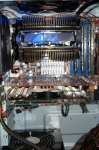
The test system was run on an open bench so there wouldn’t be any heat buildup due to inadequate case cooling. The cooler attached to the standard mounting holes without incident and without any interference with other motherboard components. Since the cooler has a uni-directional fan, we mounted the exhaust to blow across the passive Northbridge chipset cooler.
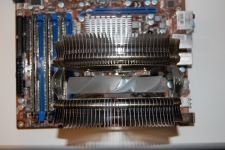
In the pictures below you will see how the design of the Thermaltake V1 AX allows for a good bit of clearance around the memory slots, fan header, 4x2pin power header and the Northbridge. There really shouldn’t be an issue using this cooler unless you’re using RAM that has really large fins or a heatpipe solution like the OCZ Technology Reaper Series.
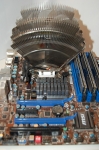
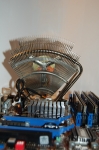
In the next shots you can see just how massive this cooler is and how much area it can cool. The other nice feature is that with the fan properly positioned, it will blow across the Northbridge and the back of the GPU to provide additional cooling. In our tests, the passive heatsink on the Northbridge was actually cool to the touch, even after hours of testing. We also noticed a slight temperature drop on the core GPU temperatures.
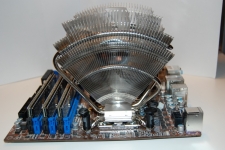
In this picture, we see the Thermaltake V1 AX in action. The Blue LED adds a nice, subtle touch, but yet isn’t too bright and annoying that you’d want to find a way to disable it or find a way to swap it out.