| ATake Pipe VGA For Dual Heat-Pipe VGA Cooling Kit - Page 2 of 2 |
Installation (continued):
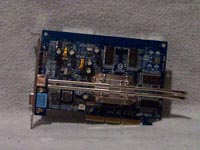
On the front side of the video card you'll use the larger of small heat sinks. You will need to examine each of the two included heat sinks, as one of them has a raised surface. I think this would be used for the ATI cards, as my Nvidia chip was flat, and the flat heat sink seemed to be a better match.
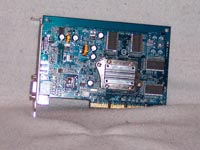
Here you can see a side shot of the video card with the front and back heat sinks installed.
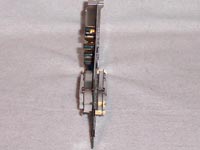
After installing the front and back heat sinks, you'll want to connect the heat tubes. There is nothing to hold them in place as you are installing them, so I used the little brackets to hold them in place while I got the main heat sinks installed.
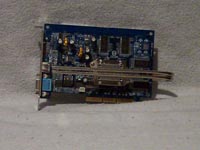 
Installing the main heat sinks was the easiest part of the installation. Four screws and it's installed, just make sure you get the heat tubes in the grooves. As I mentioned above, there are two of the main heat sinks. I put the large one on the front of the video card and the small one on the back. This seemed to make sense, as most of the heat would be on the front of the card.
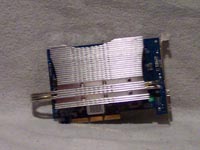
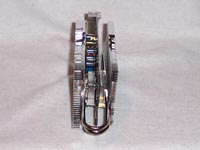
As you can see here, once the VGA Cooler is installed your card will be rather wide. This is because you have four different heat sinks on it, instead of the usual one or two.
Testing:
To test the VGA Cooler, I installed it in the following system:
• AMD Athlon 64 3200+ processor
• 1gb Ultra 3200 DDR (previously reviewed here)
• MSI K8T800 NEO-FIS2R motherboard (default settings)
• WD 200GB SE hard drive
• CoolerMaster CoolDrive 4 (used to take temperatures)
• Case Temperature at 20.5C
To take the load temperatures, the following applications were run for several hours:
• Photoshop CS
• EverQuest 2
• Folding@Home 4.0
• Sisoft Sandra 2004 Burn In Wizard
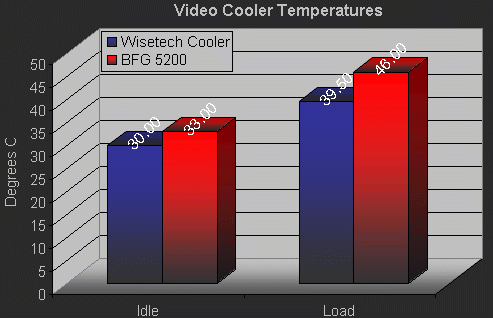
The chart below lists the temperatures indicated by the CoolerMaster CoolDrive 4 during testing. As you can see the VGA Cooler with no fan installed performed approximately 3 to 6.5 degrees C cooler than the stock BFG GeForce 5200 heatsink / fan combination.
Conclusion
While this item can't be seen as a requirement for any computer system, the amount of cooling it provides and total lack of noise would make this a nice additional to any case. This would be best suited for a Home Theater environment where a quiet PC is a must.
The ATake Pipe VGA For Dual Heat-Pipe VGA Cooling Kit will be priced around $40.00. While this is a bit pricey when compared to similar items from Zalman and Thermaltake, it does perform very well.
If you're looking to cut the noise level down in your computer, this is a great alternative. A good set of instructions and a bit of a price break are all that is needed to make the "Pipe VGA For Dual Heat-Pipe VGA Cooling Kit" great. Overall I have to give this 4 out of 5 stars... "Recommended".
Final Rating (4 out of 5 stars): 

Pros:
• Good cooling performance
• Totally silent
• All accessories included for most common chipsets
Cons:
• No documentation!
• Cost
Special thanks to Wisetech for providing the ATake Pipe VGA For Dual Heat-Pipe VGA Cooling Kit to BigBruin.Com for review!
Please drop by the BigBruin.Com forum and feel free to discuss this review.
Page 1 | Page 2 | Home | Forum | Review Index
|
|
|
|