Freezer 64 Basics (continued):
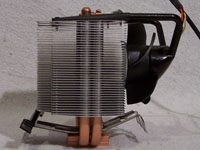
The side view gives you a look at what helps to make the Freezer operate. As you can see, the heat sink and heat pipes are made of copper. On the backside is where the uniquely designed fan resides. As you can see here, there is nothing surrounding the fan. This does a great job of lowering the noise level, as there are no surfaces for the wind to whistle against.
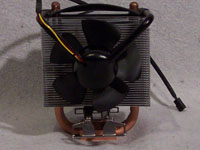
Here is another view of the Freezer's fan. The back of the fan is designed so that if there is little clearance between the heatsink/fan and other components, it will give you additional clearance by angling the fan motor housing. With the unique design of this fan, there is no placement for LEDs. Also, it should be noted that if the fan dies it can be replaced. You must get the replacement from Arctic Cooling. You cannot use a generic 80mm fan on the Freezer.
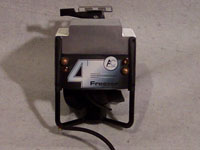
On the very top of the Cooler is where Arctic Cooling has put their Freezer 64 logo. This is nice as it helps to ensure proper installation in tower cases. You wouldn't install this with the lettering upside down, which would cause the fan to point downwards. Installing it, as you would read it in a tower case, ensures the fan is blowing upwards away from other components. You can also see where the heat pipes terminate.
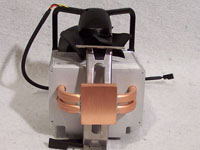
Finally, at the bottom of the heat sink you'll notice that the Freezer does not have a mirror finish, instead it's a brushed copper. While it looks like it would have grooves from the brush finish, I found the base to be perfectly smooth.
Installation:
The installation of the Freezer was fairly simple, but I did find that it was a little more difficult than other heat sinks. This is due to its size, and placement of the fan. Installing in my Antec 1080B, the edge of the heat sink was fairly close to the power supply, which is what caused it to be a little tricky. It wasn't overly difficult, just make sure you get the clips on the bracket.
Arctic Cooling has included a tube of their MX-1 Thermal Paste, which hardens once it's heated up. Also, it should be noted that they report optimum performance after approximately 200 hours of use. I did not notice any heat difference between the MX-1 Thermal Paste and my usual Arctic Silver. I only used the MX-1 paste for approximately 100 hours, and not the 200 hours minimum they recommend.
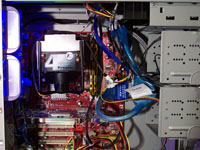
Here you can see the Freezer fully installed.
Please read on to the next page for more... Next
Page 1 | Page 2 | Page 3 | Home | Forum
|
|