Fresh from completing my review of the Transcend TV-Box USB 2.0 TV tuner (reviewed here), I thought I'd take a closer look at the card I mentioned so often as a point of reference. The Leadtek Winfast TV2000 XP Deluxe is a feature-rich TV tuner that will allow any computer with an available PCI slot to enjoy TV, as well as capturing capabilities, and digitally tuned FM radio.
Package Contents:
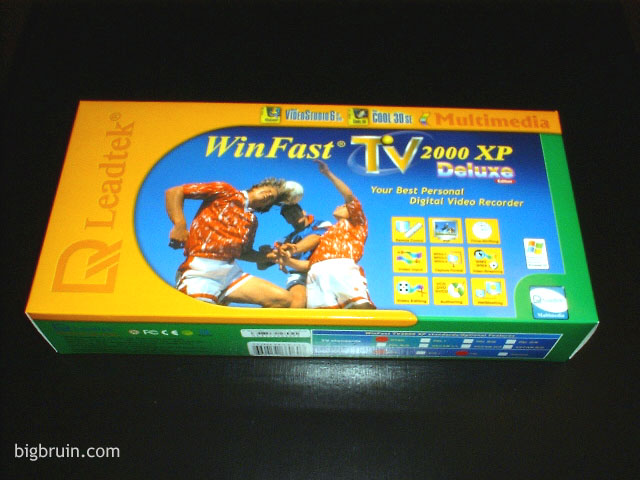
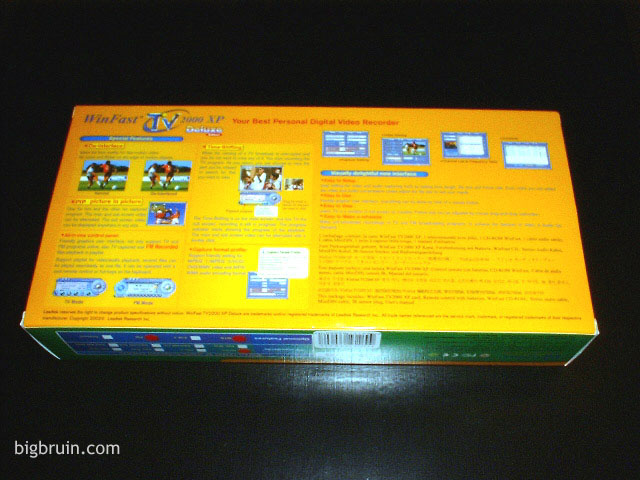
The Leadtek Winfast TV2000 XP Deluxe card is sold in the colorful retail packaging pictured below. The bulk of the features, specifications, and other details are covered on the outside of the box, so there should be no surprises when you open it. There is not much worse than leaving the store with a product and not being sure if it will do what you expect, or if its even compatible with your system!!
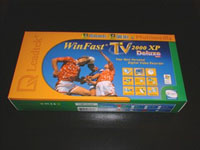 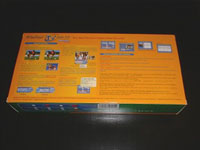
The following lists the contents of the Winfast TV2000 XP Deluxe bundle...
- Winfast TV2000 XP card
- Winfast TV drivers/utilities CD-ROM
- 1 MiniDIN A/V cable
- 1 stereo audio cable
- Remote control & batteries
- IR sensor plug
- FM antenna cable(FM version only)
- User's manual
- Bundled software:
- WinfastDVD from Leadtek
- Video Studio 6.0 from Ulead: "People with little or no experience in video editing will appreciate how easy it is to use VideoStudio. Trim video, add your own soundtrack, create compelling titles and drop in stunning effects using an easy-to-learn interface that makes editing videos fun." - from the Ulead site
- Cool 3D 3.0 from Ulead: "Create 3D titles and animated graphics for intros, interstitials, lower-thirds or as subject matter in your video and multimedia productions. Use ready-made shapes or create your own. Drag and drop hundreds of customizable effects from the EasyPalette™ for fast results." - from the Ulead site
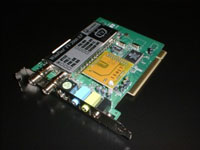 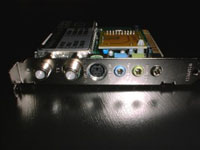
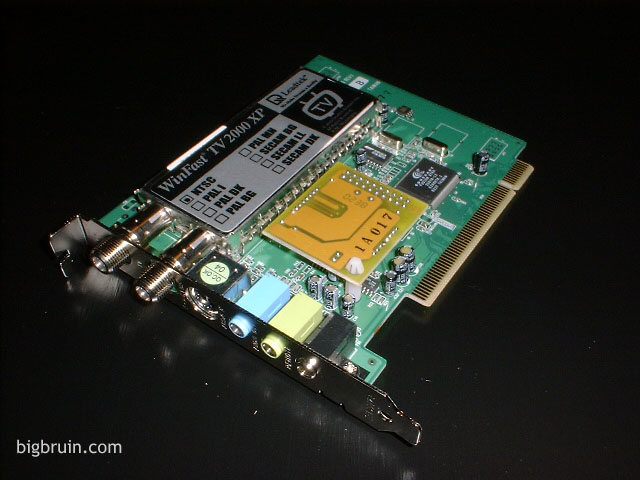
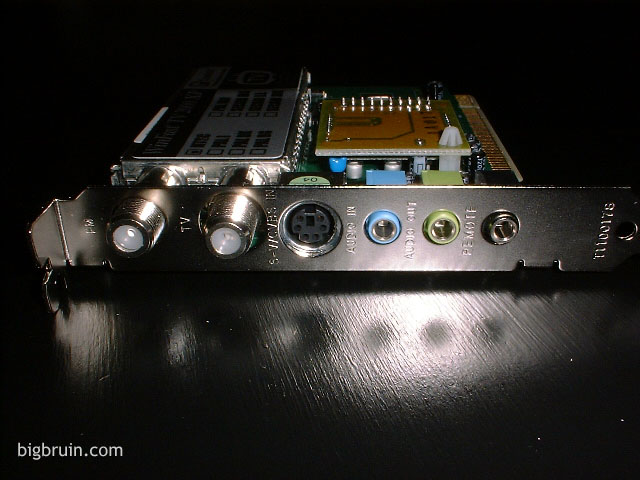
The two pictures above give a good look at the card itself. By enlarging the picture on the right, you can see the connections on the back of the card (from left to right): FM coaxial connection, TV coaxial connection, mini din connection for s-video/composite input, stereo audio in, stereo audio out, IR remote control sensor plug.
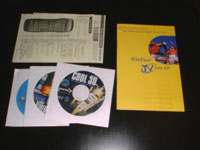 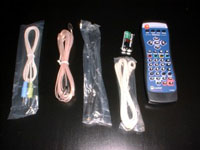
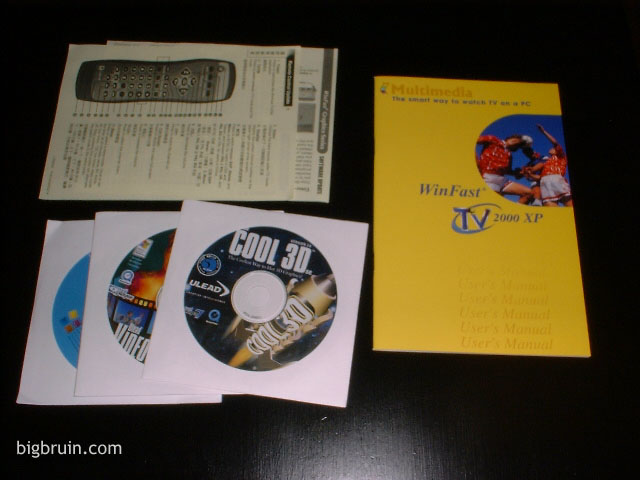
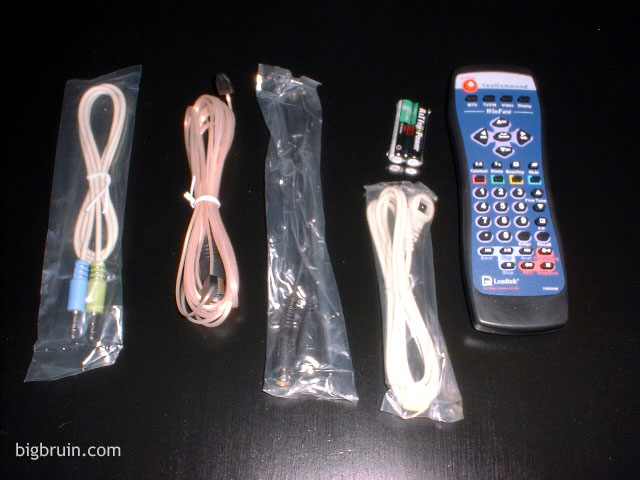
The two pictures above give a look at the other items presented in the list above. The picture on the left shows the documentation provided, as well as the three cd titles included. The documentation is very thorough, and provides a complete manual as well as a more condensed version suitable for use as a quick reference. The picture on the right shows the following items (from left to right): 1/8" stereo audio cable, coaxial FM antenna, mini din cable, IR remote sensor lead, 2 AA batteries, and the remote control.
The 1/8" stereo audio cable is required to loop the sound from the output of the TV tuner to the line-in connection on your sound card. Having to loop the sound out to the line-in connection on your sound card may pose a problem for people with onboard 5.1 sound that shares the line-in and mic connections with the surround, center, and subwoofer connections. If you want sound from the TV tuner you will have to give up on your surround sound configuration with setups like this! What may be a better configuration is to have an internal audio connector on the TV tuner that uses the 4-pin cd audio connection and just run a cable to your sound card as if you were installing a cd or dvd drive. Most modern configurations don't require you to use these cables on optical drives any more, so you should have unused connections that you could use on the TV tuner... (if I had my way).
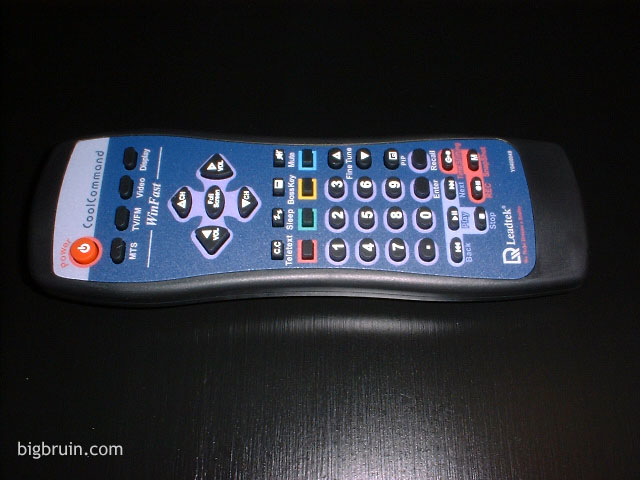
The mini din cable connects to the TV tuner card on one end and provides connections for s-video and composite devices on the other end. You can use this to capture from sources other than TV, such as a camcorder, webcam, dvd player, vcr, and so on. The remote control is quite nice, and you can take a closer look at its features in the image below:
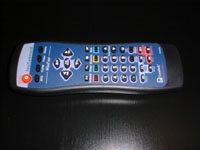
The remote is a very nice touch. It looks like something for a true home entertainment center, and features all the commands you could want for controlling the Winfast TV2000 XP Deluxe. Take a look at the larger view of the picture and you can see that you can control the basic TV functions, fm tuner functions, "vcr" type functions and so on. The only quirk may be with the power button. You can not turn on the TV (launch the software), by pressing the power button. The power button only works for closing the TV tuner application once you have launched it via keyboard or mouse.
Please read on to the next page for more... Next
Page 1 | Page 2 | Page 3 | Page 4 | Home | Forum | Review Index | Page Views:
|
|